DEYE

Dispositivi Supportati
| Device Type | Variants | Modbus TCP (Ethernet) | RS485 | Curtailment |
|---|---|---|---|---|
| Inverter ibridi monofase LV (SG0XLP1-EU) | SUN-3/3.6/5/6/7/7.6/8/10/12K | ❌ | ✅ | ❌ |
| Inverter ibridi trifase LV (SG0XLP3-EU) | SUN-3/4/5/6/8/10/12/14/15/16/18/20K | |||
| Inverter ibridi trifase HV (SG0XHP3-EU) | SUN-5/6/8/10/12/15/20/25/29.9/30/35/40/50/60/70/75/80K | |||
| Inverter a stringa monofase (G0XP1-EU) | SUN-1/1.5/2/2.2/2.5/2.7/3/3.3/3.6/4/4.2/4.6/5/5.2/6/6.2/7/7.5/8/9/10/10.5K | |||
| Inverter a stringa trifase (G0XP3-EU) | SUN-3/4/5/6/7/8/9/10/12/15/18/20/22/23/25/30/35/36/40/45/50/60/70/75/80/90/100/120/125/130/135/136K |
Cablaggio
RS485
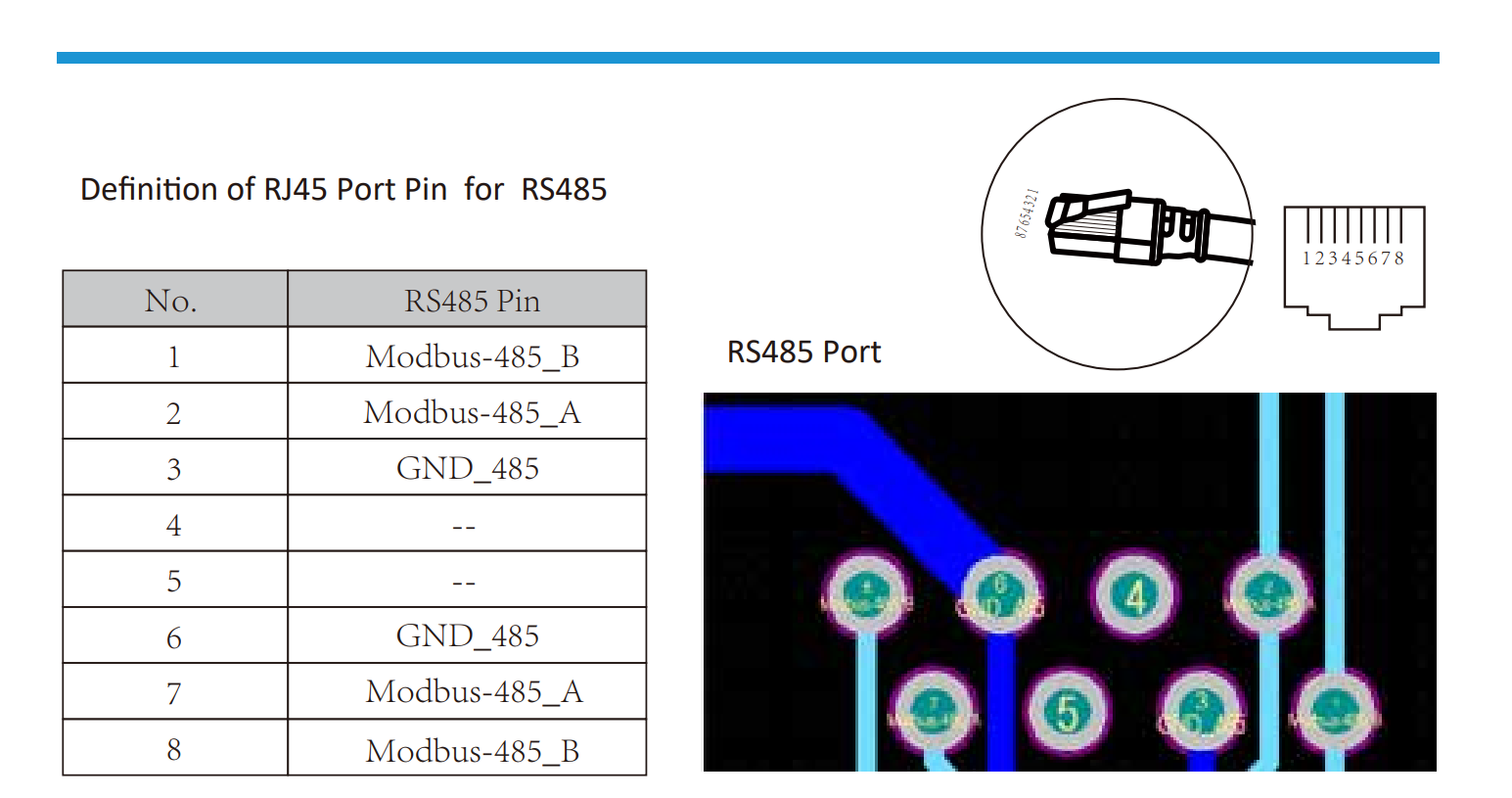
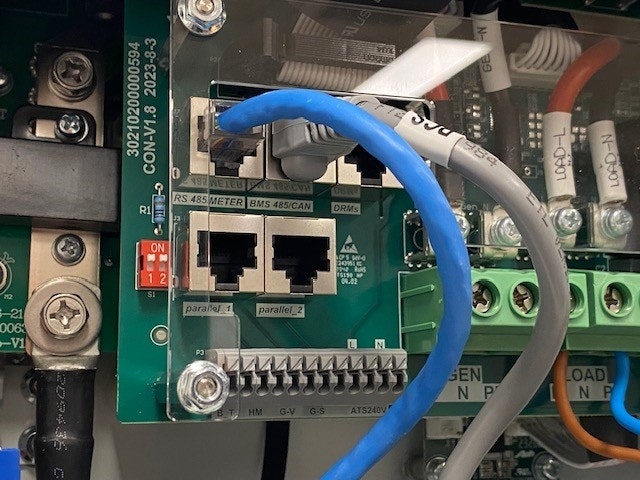
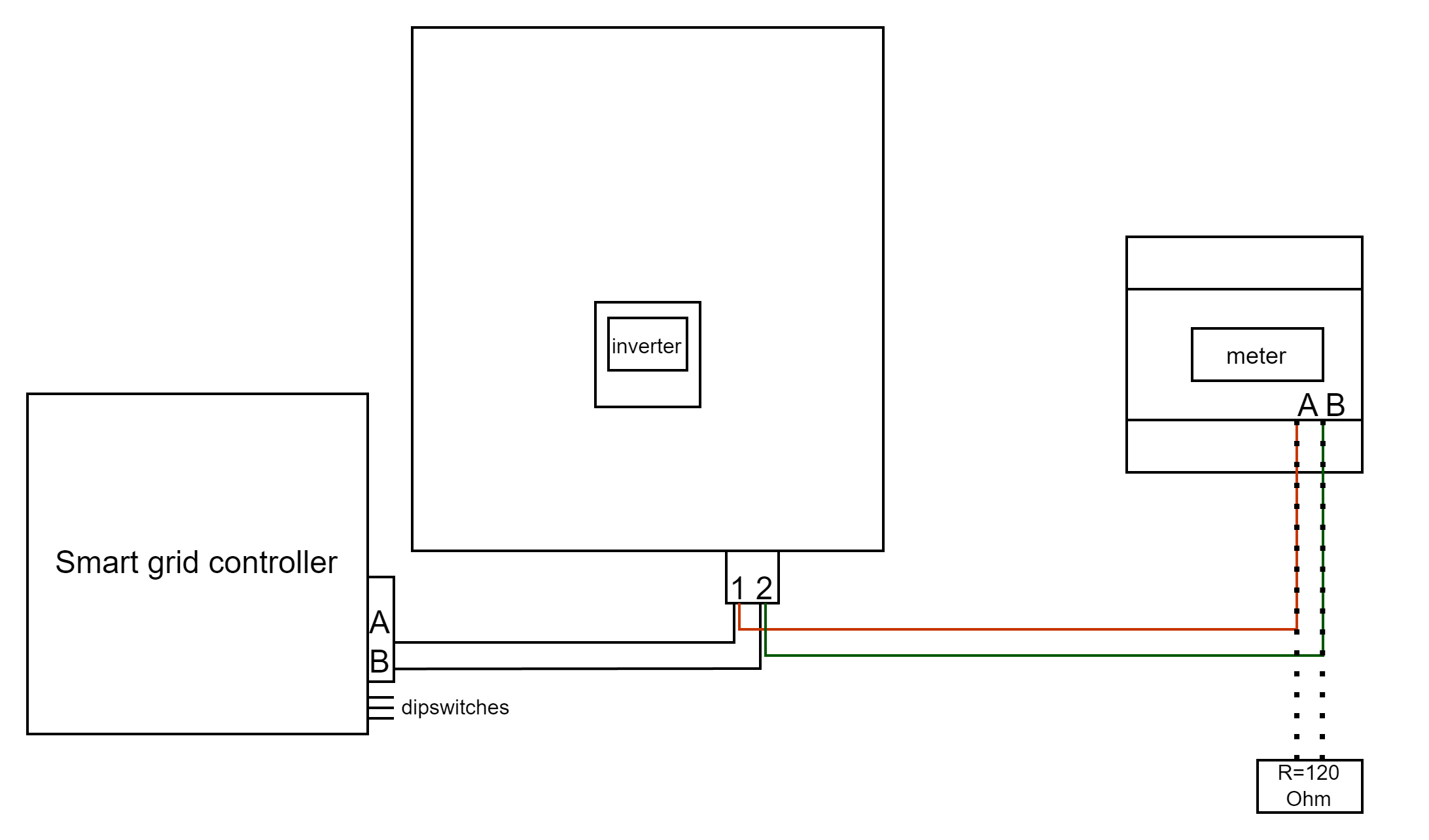
RS485 Wiring
- For correct RS485 wiring: Follow the guidelines for RS485 wiring.
- If the wiring shown in the table below is incorrect, please let us know.
- There is no general consensus in the industry about the usage of A and B for the RS485 polarity, so it may be counterintuitive and opposite of what you might expect for some devices.
| Device | DemoBrandName ControllerDemoName model OM1 | DemoBrandName ControllerDemoName model IG8 | RS485-USB converter | RS485-Ethernet converter |
|---|---|---|---|---|
| Pin 1 / Modbus-485_B | RS485 A | RS485_POS | RS485 A | TX+ |
| Pin 2 / Modbus-485_A | RS485 B | RS485_NEG | RS485 B | TX- |
| Pin 3 / GND_485 | RS GND | GND | Not available | G |
Configurazione
NOTE: RS485 Device Addresses
- You MUST give each device on the RS485 bus a unique address. Check the manual of the device on how to do this.
- Use lower addresses first (1, 2, ...) because the DemoBrandName ControllerDemoName will find them faster!
- For each device, it is generally recommended to stick with the factory default baud rate, parity, and stop bits. The DemoBrandName ControllerDemoName will scan on those first.
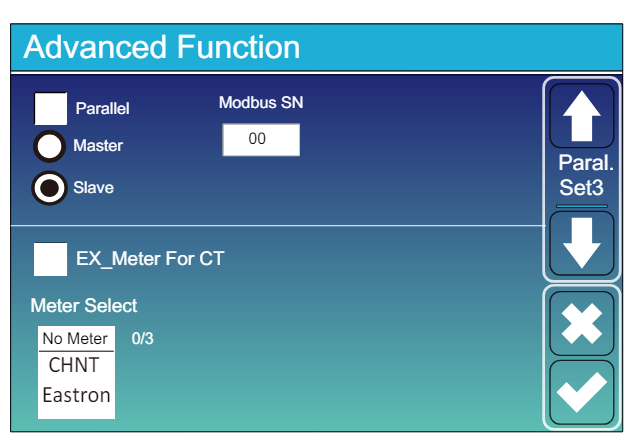
Vai a “Schermata principale” >> “Impostazioni di sistema” >> “Funzione avanzata.”
- Il numero di serie Modbus deve essere impostato su qualsiasi numero tra 1 e 247. Non selezionare 0!! Nota che se ci sono più dispositivi sul bus RS485, ciascuno deve avere un numero unico. Questo è l'indirizzo.
- Deve essere selezionata l'opzione Slave.
- Solo quando un contatore aggiuntivo è collegato direttamente all'inverter deve essere selezionata l'opzione “EX_meter For CT”. Se c'è solo un contatore in parallelo con il DemoBrandName ControllerDemoName deve essere deselezionato.
- Assicurati che le seguenti impostazioni siano tutte corrette: "Max A Charge", "Max A Discharge", "Grid Charge Ampere"