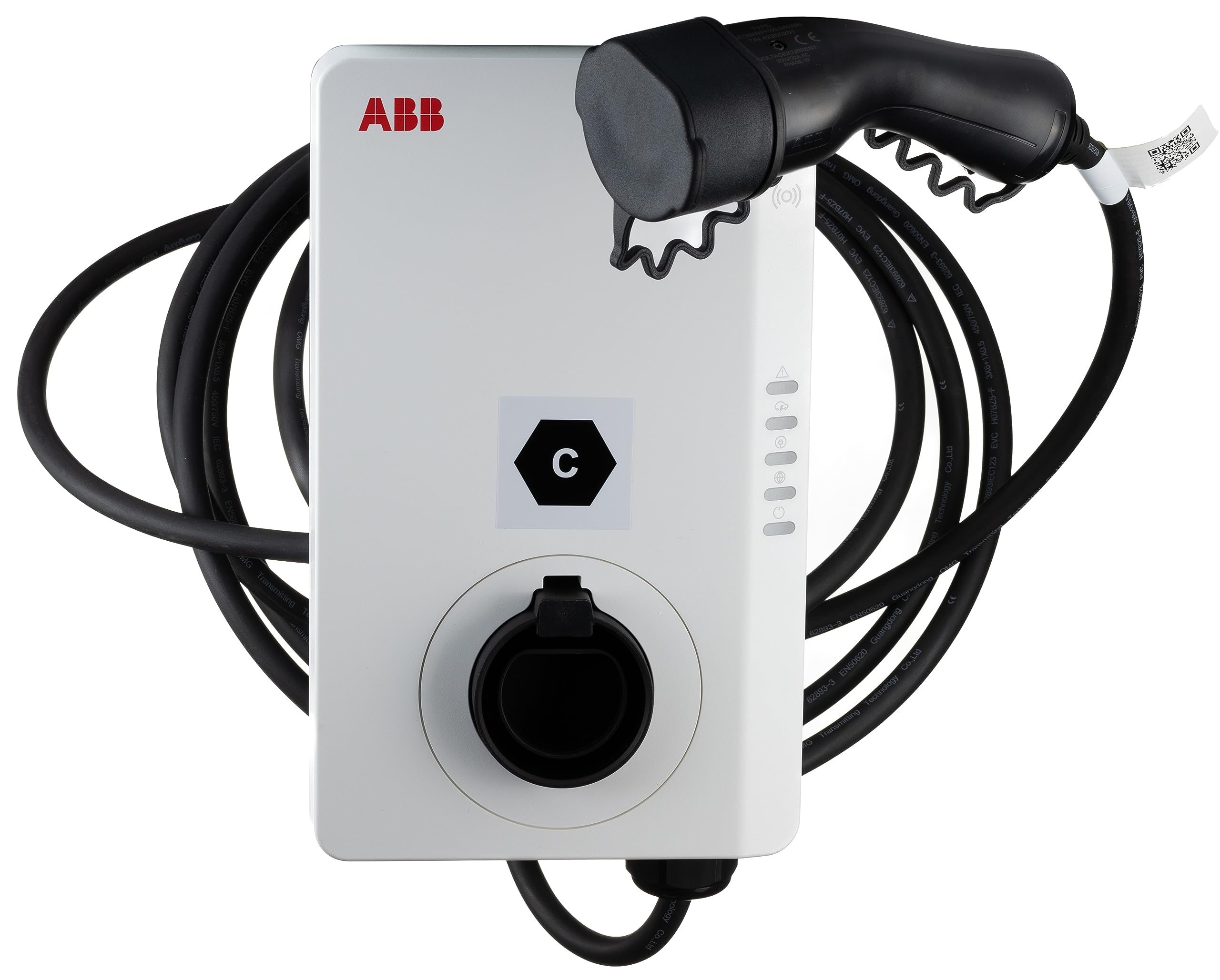
ABB charging stations

Supported Devices
| Device Type | Variants | Modbus TCP (Ethernet) | RS485 |
|---|---|---|---|
| ABB Terra AC | / | ✅ | ✅ |
Wiring
Ethernet
For correct ethernet wiring: Follow the the guidelines for ethernet wiring.
RS485
RS485 Wiring
- For correct RS485 wiring: Follow the guidelines for RS485 wiring.
- If the wiring shown in the table below is incorrect, please let us know.
- There is no general consensus in the industry about the usage of A and B for the RS485 polarity, so it may be counterintuitive and opposite of what you might expect for some devices.
| Device | SmartgridOne Controller model OM1 | SmartgridOne Controller model IG8 | RS485-USB converter | RS485-Ethernet converter |
|---|---|---|---|---|
| RS485 A | RS485_POS | RS485 A | TX+ | |
| RS485 B | RS485_NEG | RS485 B | TX- | |
| RS GND | GND | Not available | G |
Configuration
After the electrical installation of a charger is complete, follow these steps to configure the charger:
- Download the configuration app from https://e-mobility.abb.com/products-services/terraconfig/. More information on using the app can be found here: https://guides.e-mobility.abb.com/TerraConfig2MobileApp_EN/#/
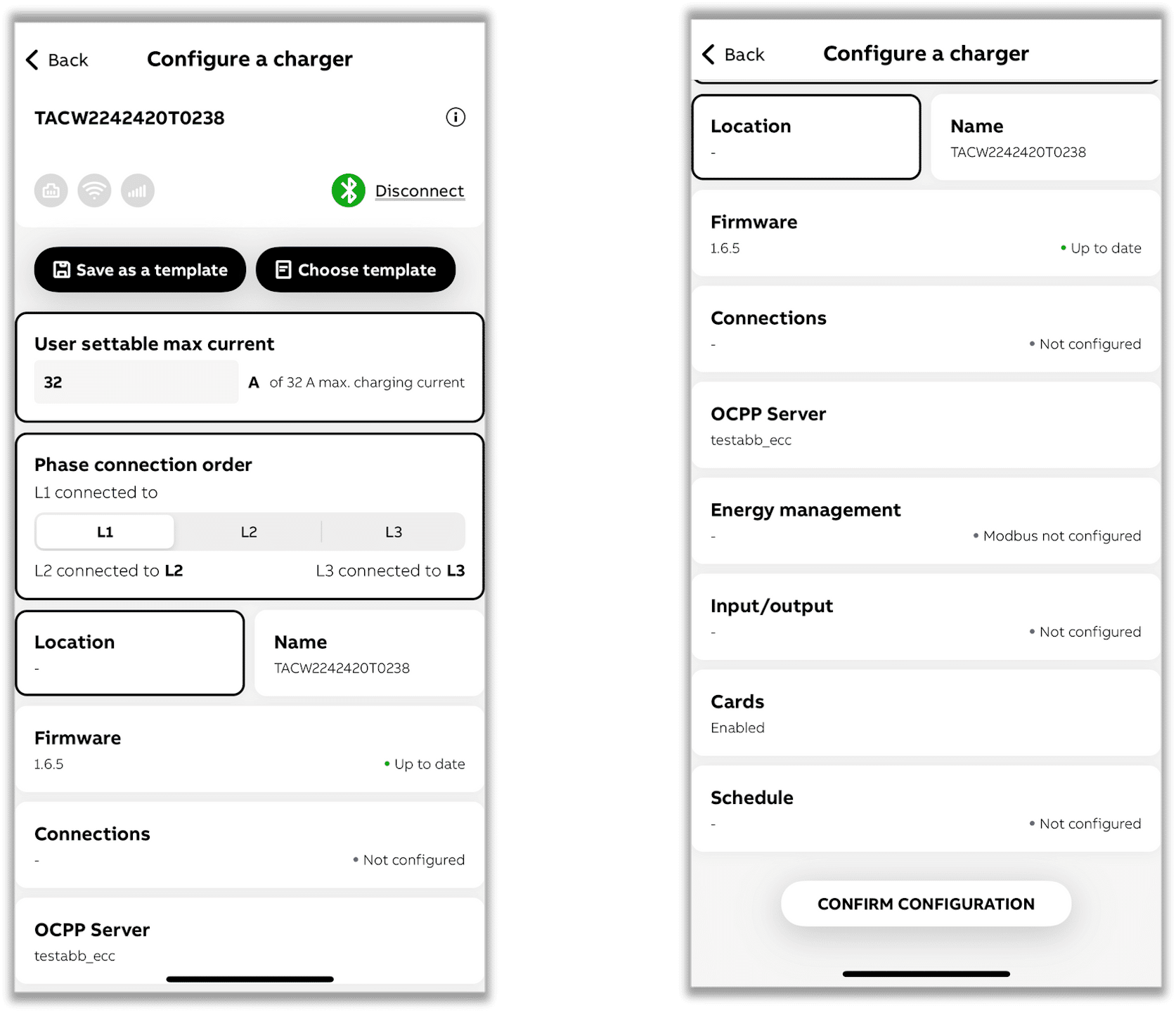
- On the dashboard, select "Configure a charger."
- Enable Bluetooth on your phone, as this is necessary for the app to communicate with the charger during the commissioning process.
- Choose a charger from the available list.
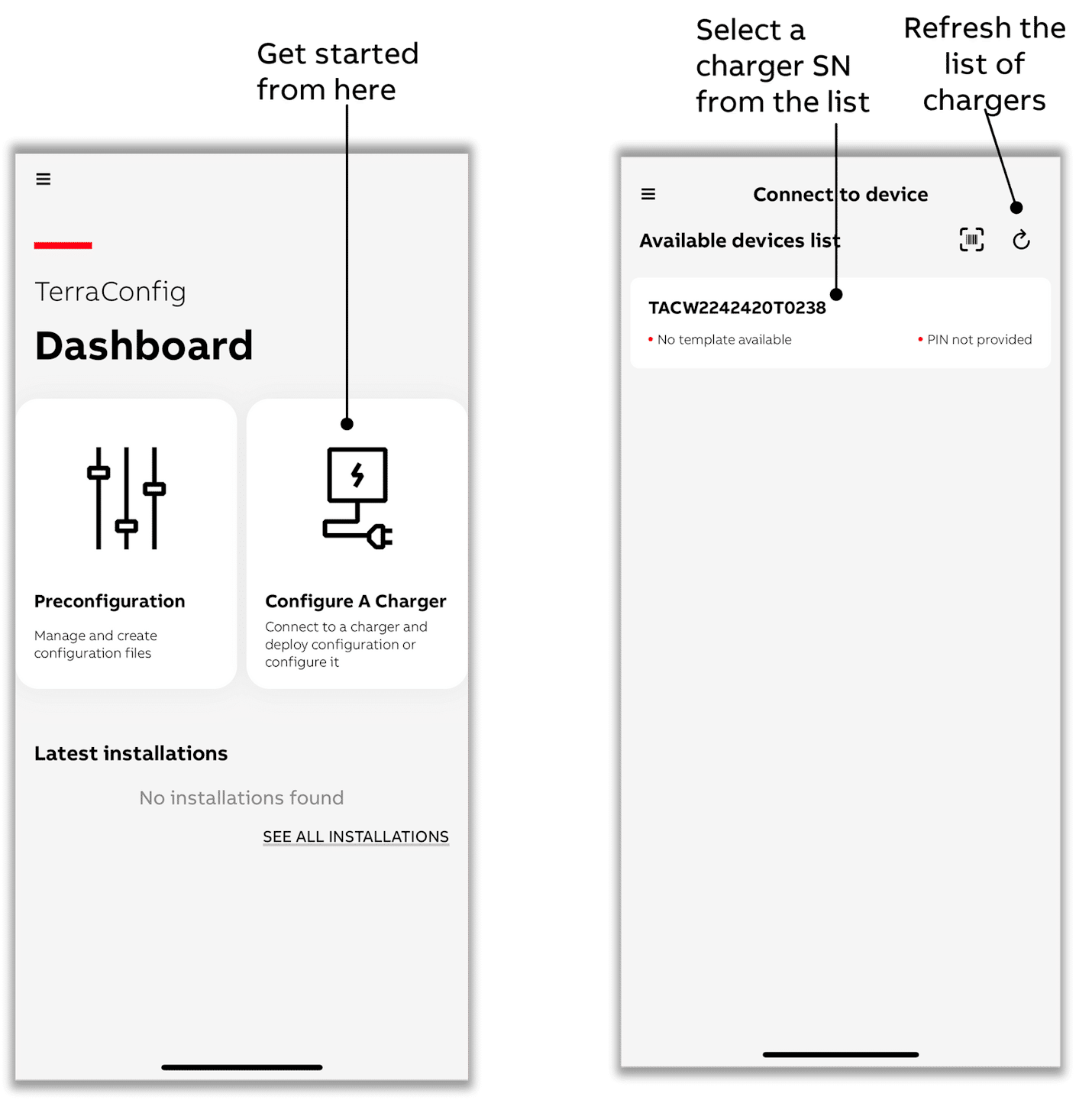
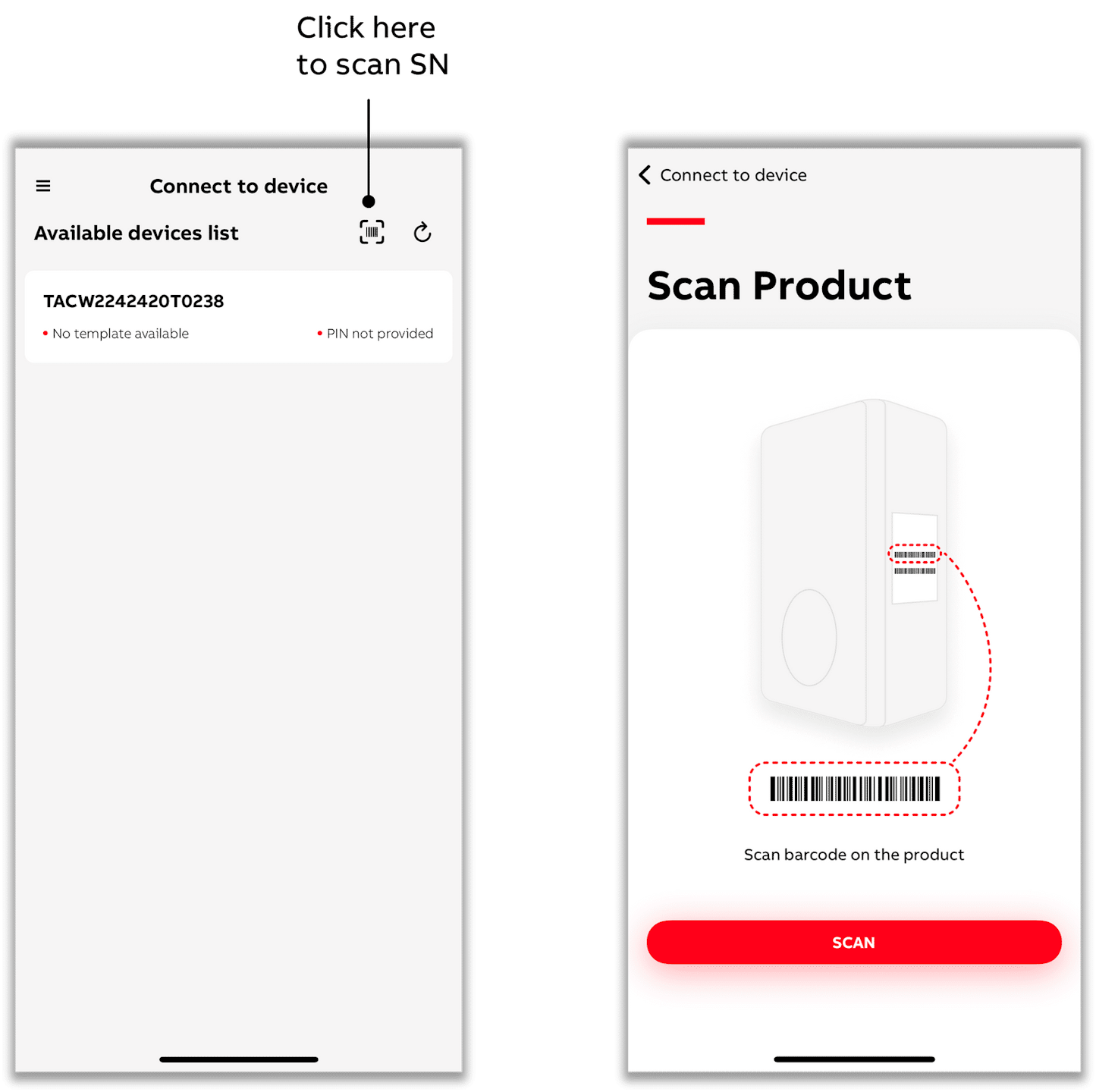
- You can also select a charger by scanning the SN barcode with the app.
- Be sure to scan the charger's SN bar code, which usually begins with "TAC" (although this may vary depending on the product variant).
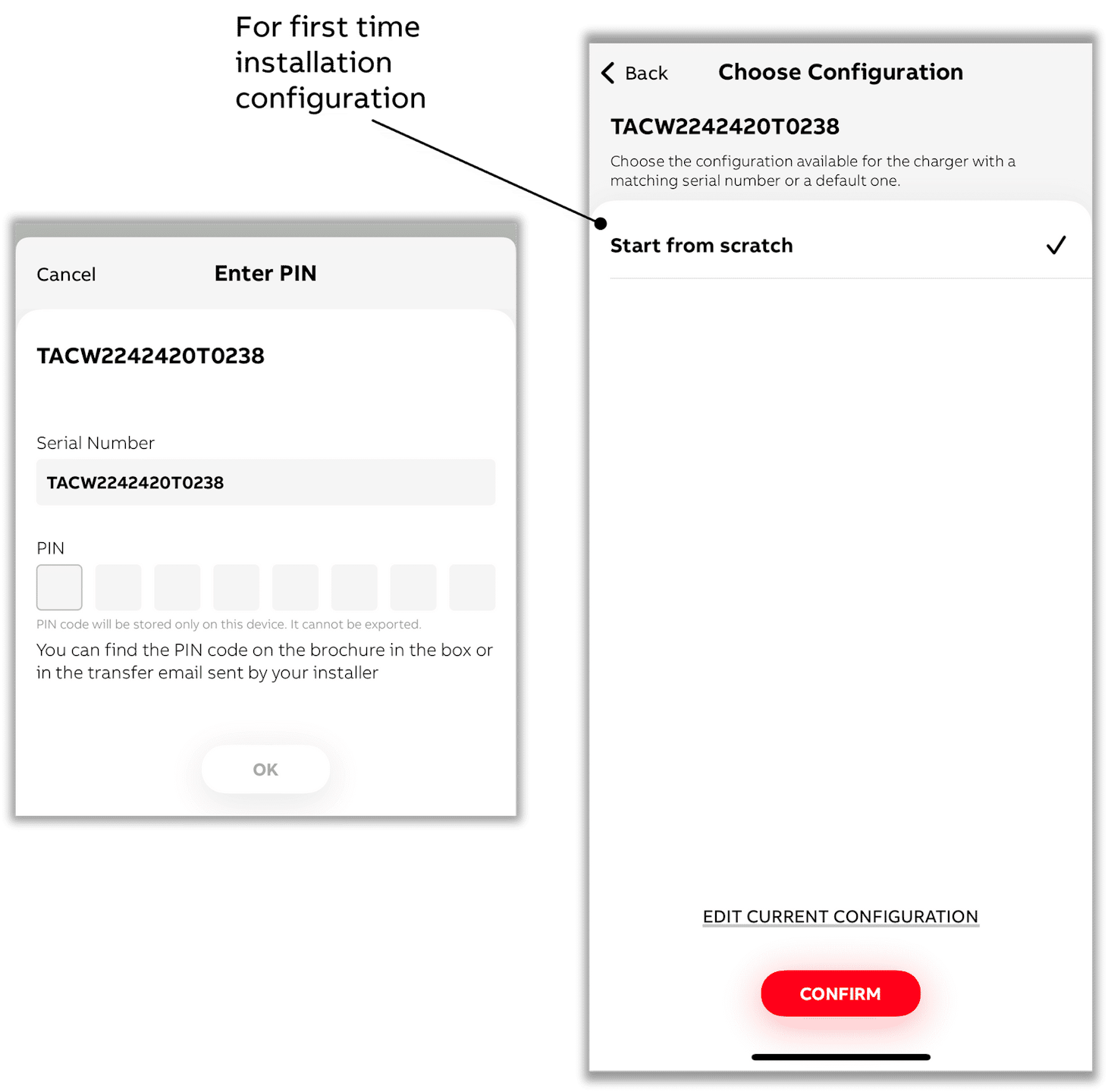
- After selecting a charger to connect to, enter the PIN.
- Select below the option "EDIT CURRENT CONFIGURATION" - or if the charging station has not yet been configured, then select "Start from scratch."
- Make sure your phone or mobile app is connected to the Internet for PIN validation.
- Throughout the process, the app will display a pop-up confirming that all settings will be applied to the charger simultaneously once you get to the last step.
- Click on the "Energy management" submenu.
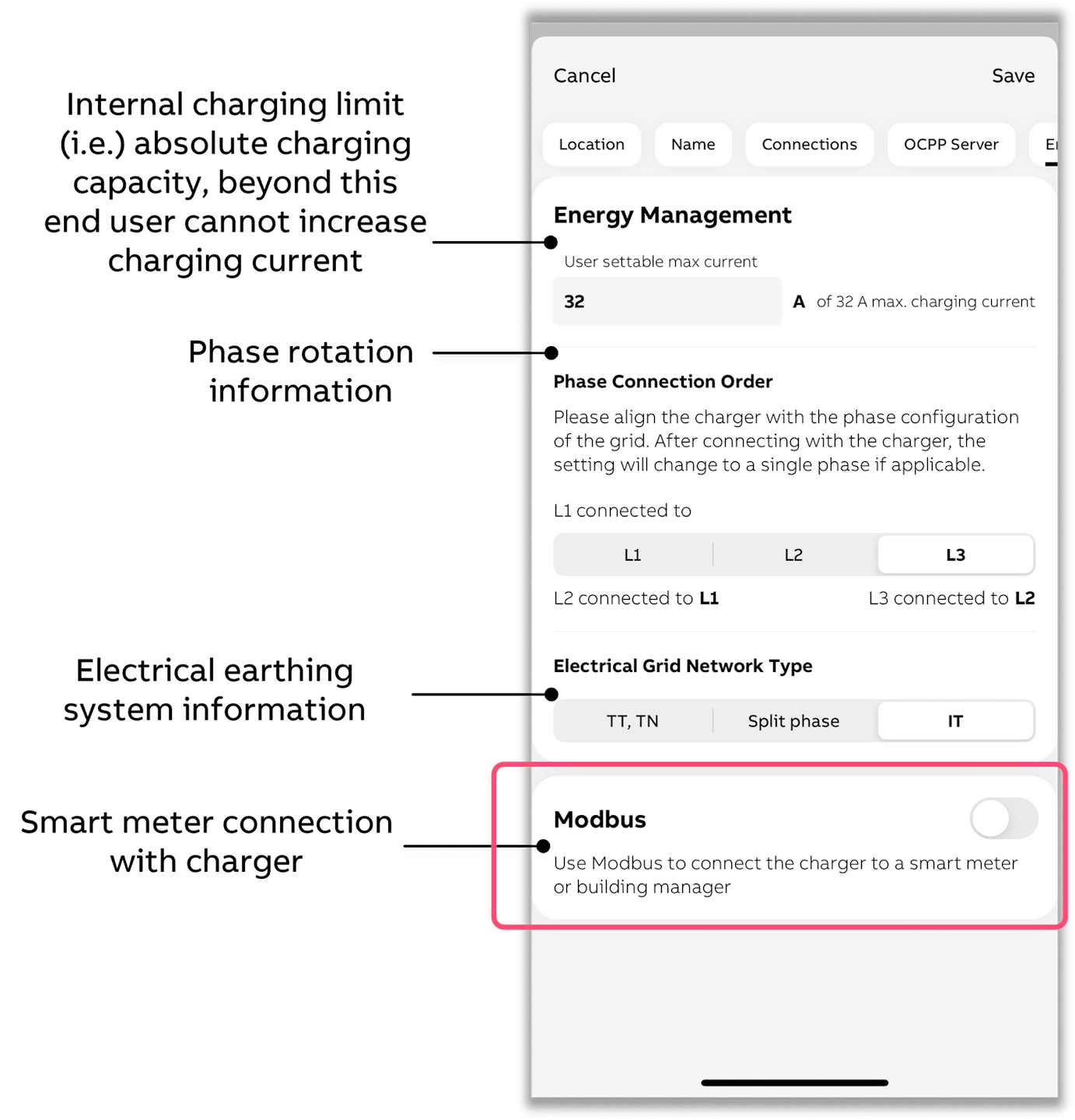
- Toggle "Modbus" on.
-
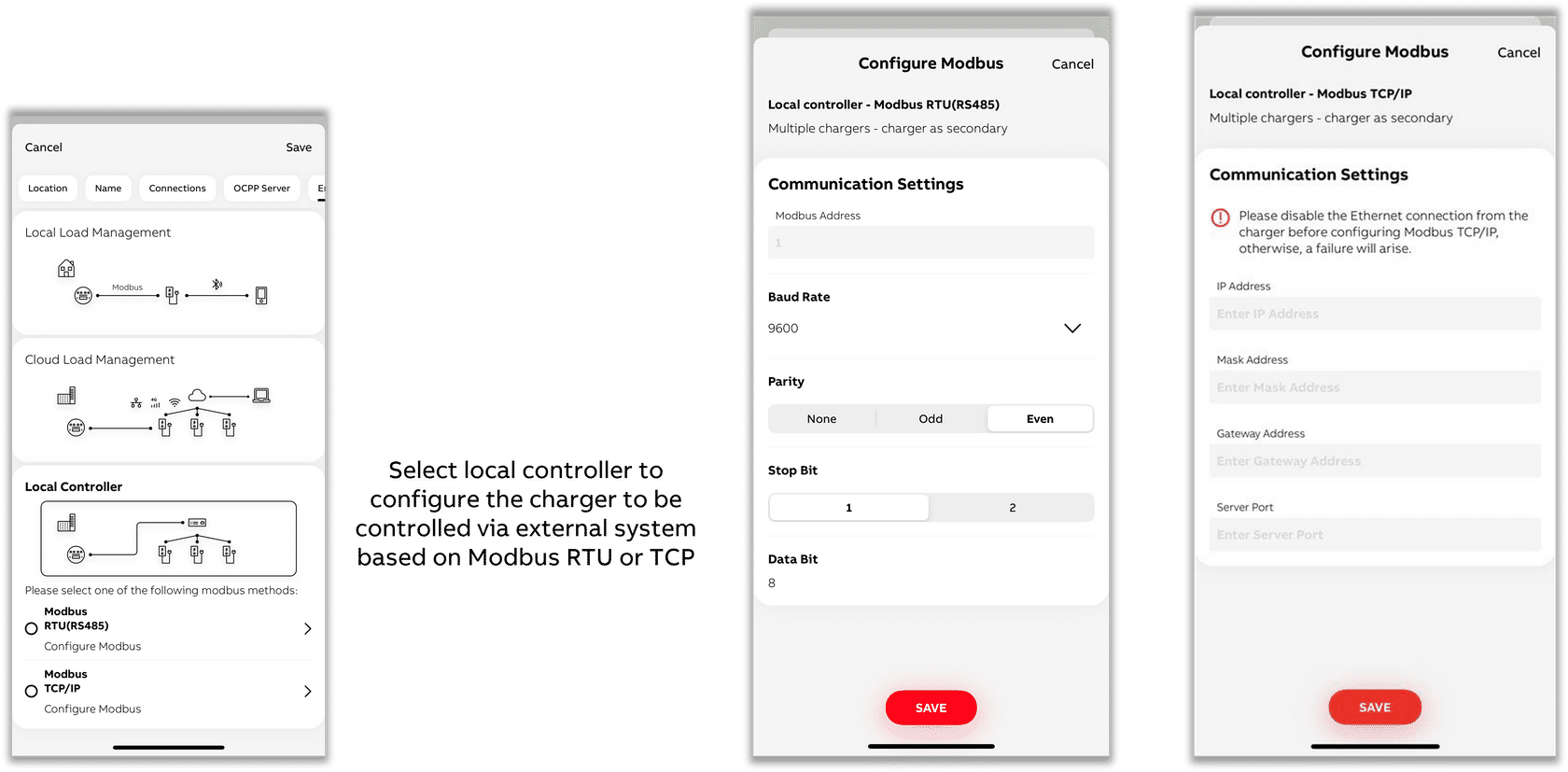
Select "Local controller" and then "Modbus RTU (RS485)" or "Modbus TCP/IP" depending on whether the charging station is connected to the via RS485 or Ethernet.
Modbus RTU (RS485)
-
Choose a unique Modbus address, different from all other Modbus addresses of devices on the same RS485 bus.
-
Choose baud rate 9600, parity Even, stop bits 1 and data bits 8.
Modbus TCP/IP
-
You must set a fixed IP address in the charging station within the same network range as the.
-
Important: Always choose 502 as the server port.
-
For home and small business networks, a typical setup is with e.g. fixed IP address 192.168.1.50:
- IP address: 192.168.1.50
- Mask address: 255.255.255.0
- Gateway address (the address of your router): 192.168.1.1
- Server Port: 502